
Mind your payments.
Master your money.
Every bill, subscription, and payment plan your family has — in one place. Snap a receipt and PayMind fills in the rest.
Free to start
Every bill, subscription, and payment plan your family has — in one place. Snap a receipt and PayMind fills in the rest.
The whole app, one idea
Rent. Netflix. The sofa you’re paying off. The holiday you’re saving for. In PayMind they all turn into one simple thing — a bill you can see, track, and tick off. No spreadsheets. No mental math.
How it works
Photograph a receipt — PayMind reads the amount and date for you.
Due dates, who paid, and what’s left — all kept up to date automatically.
Your whole family sees the same picture, on web and on their phone.
Why families stay
A reminder before a bill is due, and a nudge the moment it’s overdue.
Monthly payments, installments, and saving goals — all become simple bills.
A shared household so everyone knows what’s paid. No more “did you pay it?”
Receipts turn into bills in seconds. Less data entry, fewer mistakes.
See it in action
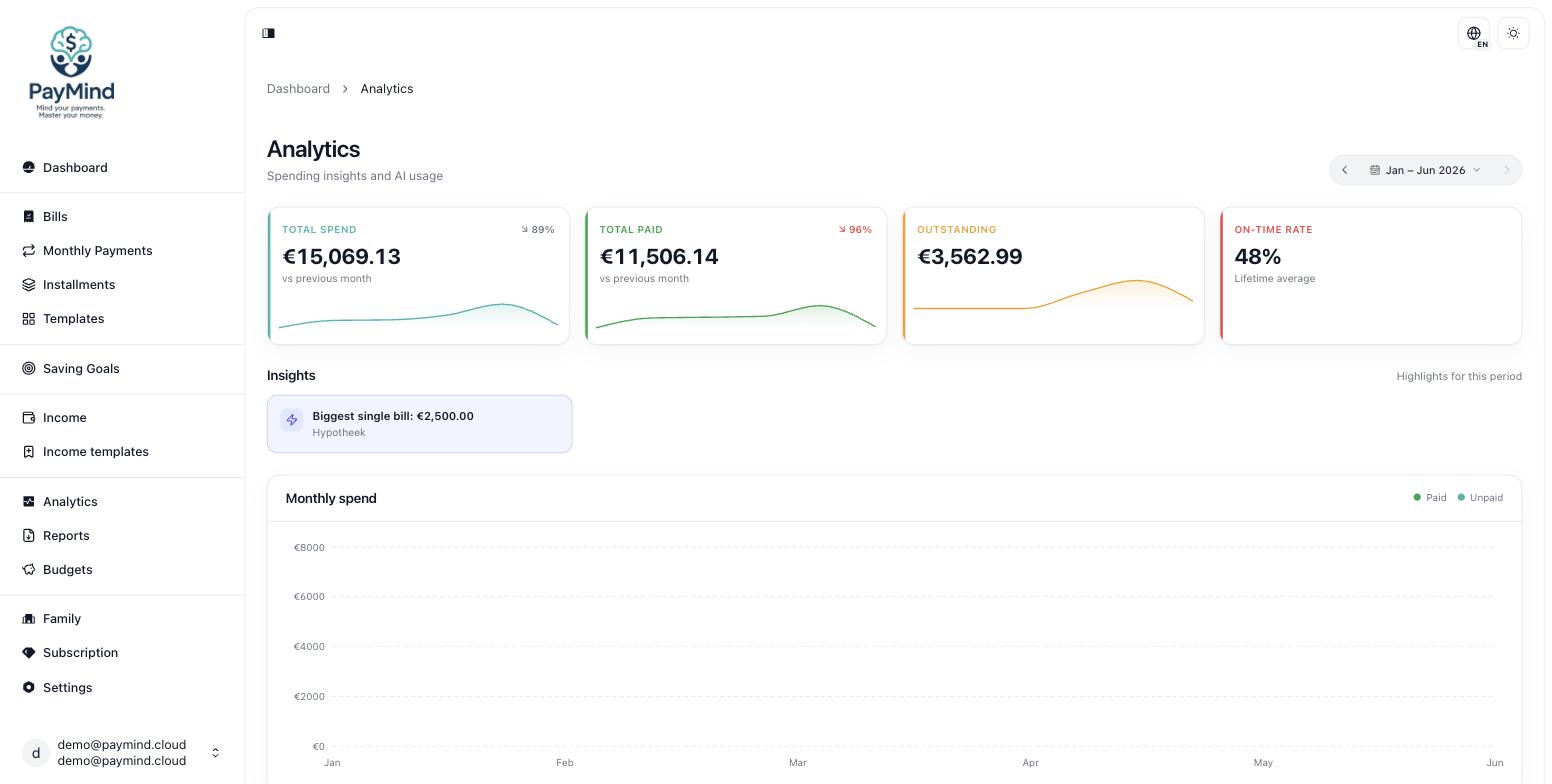
The real PayMind web app — bills, payment plans and analytics, all in one calm place.
FAQ
No — PayMind never sees your bank login or card details. You add your bills and payments yourself. It’s a calm place to stay on top of what you owe, not a bank.
Yes, it’s free to start — no card required. Create your household, scan a receipt and start tracking right away.
PayMind works on the web and on Mobile. Most features are on both; a few power tools live on the web for now. See the features page for the full breakdown.
Your data is encrypted in transit and kept behind secure sign-in. We never sell it and never use it for advertising. Read our privacy policy for the details.
Yes. Invite family members to a shared household and everyone sees the same up-to-date bills, payments and who paid what.
Snap a photo of a receipt and PayMind reads the amount and date to pre-fill a new bill. You just review and save — no manual typing.
Anytime. Remove your account and its data right from the app (Profile → Delete account) or on the web (Settings → Danger zone).
Set up your family in a minute. Scan your first receipt right after.
Go to the app →Free to start · No card required